.jpeg)
Online Safety: Fostering a sense of belonging
Feeling a sense of belonging plays a vital role in children’s wellbeing, confidence and gives them the ability to thrive, both academically and emotionally. This weeks #WakeUpWednesday guide explores why belonging matters and how small, everyday interactions can make a meaningful difference in helping children feel accepted and included. Download your FREE copy here >> https://vist.ly/4r52x
.jpeg)
Year 6 - Maths
Year 6 continued to develop their understanding of decimals in Maths, building both confidence and accuracy in their calculations. Using LBQ (Learning by Questions), the children worked through a carefully sequenced range of fluency, reasoning and problem-solving questions designed to deepen their understanding.
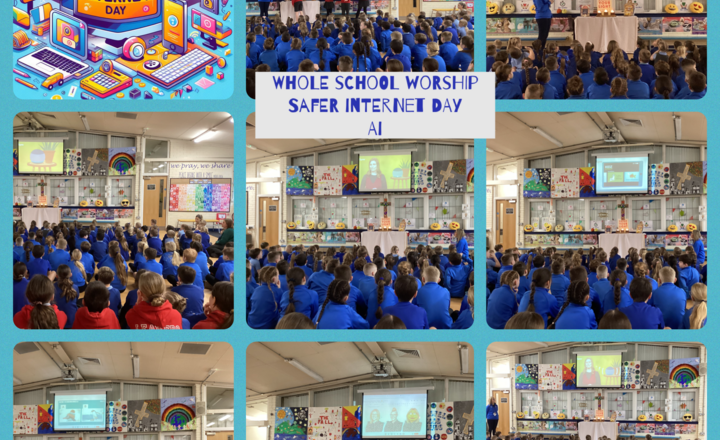
Whole School- Safer Internet Day 2026-Centered on the responsible use of AI.
To mark Safer Internet Day 2026, Mrs Araujo led a special Worship centered on the responsible use of AI. The session started with the Heads and Deputy Heads signing the Trinity. The children then watched a short video and discussed how AI can assist us in our daily lives. Through a fun identification game, pupils practised spotting AI-generated images and learned that because AI can make mistakes, its results are not always true or accurate. This helped our children understand the importance of being cautious and informed digital citizens.
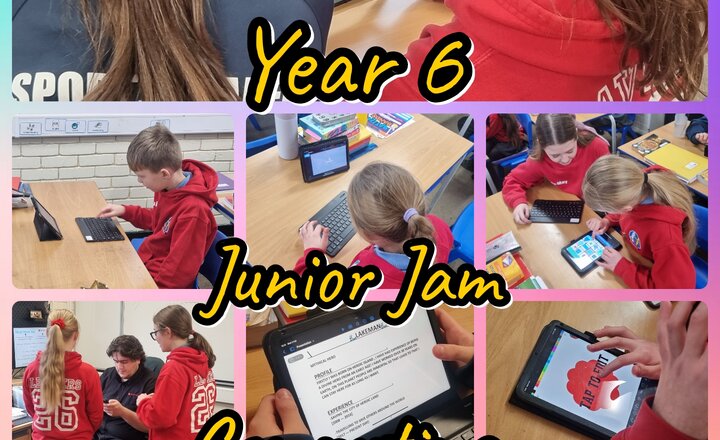
Year 6 Junior Jam - Computing
In Computing, year 6 have been working in pairs or small groups to write a CV for a superhero that they have created. They used the Keynotes app to design slides of information, which had to include: a title, a description of their hero and their CV, their superhero emblem and some animation. Next week, the children will present their work to the rest of the class.
.jpeg)
Online Safety: Supporting safe use of AI
AI is becoming a familiar part of young people’s online experiences, with a growing number of school tools and entertainment platforms now using it. This #WakeUpWednesday guide breaks down what AI really is, helping adults explain it clearly and realistically so children don’t overestimate its abilities or trust it unquestioningly. With Safer Internet Day coming up on 10th February, it’s the perfect moment to start meaningful conversations about how AI systems work, where they appear online, and why understanding them matters for safe, confident digital use. Download your FREE copy here >> https://vist.ly/4qaac
.jpeg)
Online Safety: Mental Health Misinformation Online
Who should young people trust for mental health advice online? From TikTok to Instagram, children and young people are turning to social media for support, but not all content is accurate or helpful. This week’s #WakeUpWednesday guide explores how mental health misinformation can mislead young people and shares practical ways adults can help them spot unreliable advice and build healthy, informed understanding. Download your FREE copy here >> https://vist.ly/4petr
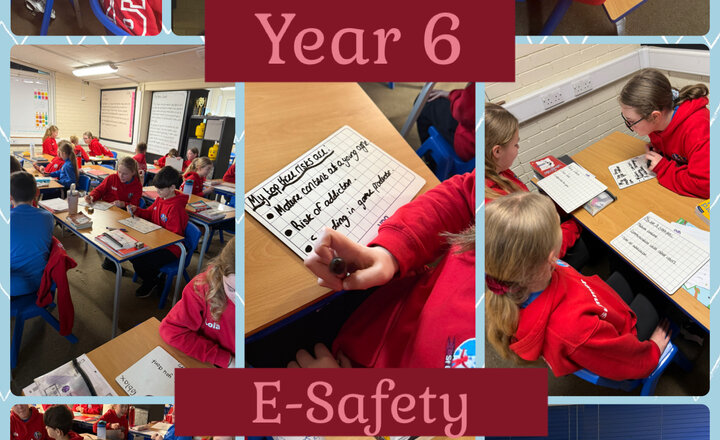
Year 6 - E-Safety
Today, the children’s e-safety focus was on Roblox and how to stay safe online. The children explored some of the potential risks linked to online gaming, including communication with others and in-game content and discussed how these risks can be reduced. Using their talk tactics, the children confidently shared their ideas, identified their top risks and explained sensible strategies for staying safe online, such as protecting personal information and knowing when to seek help from a trusted adult. This session helped to develop the children’s understanding of responsible online behaviour and how to make safe choices in the digital world.
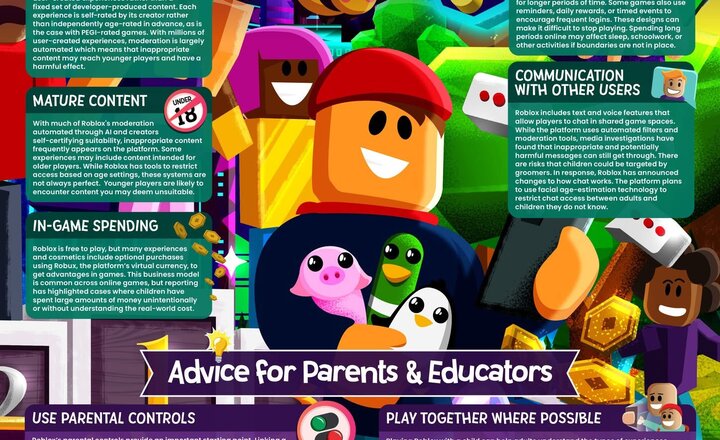
Online Safety: Roblox
Roblox might be a favourite with kids, but its huge mix of user‑created worlds can sometimes expose them to things they’re not ready for. This week’s #WakeUpWednesday guide helps parents and educators understand the risks, set smarter controls and support children to enjoy Roblox more safely. Download your FREE copy here >> https://vist.ly/4nkg3
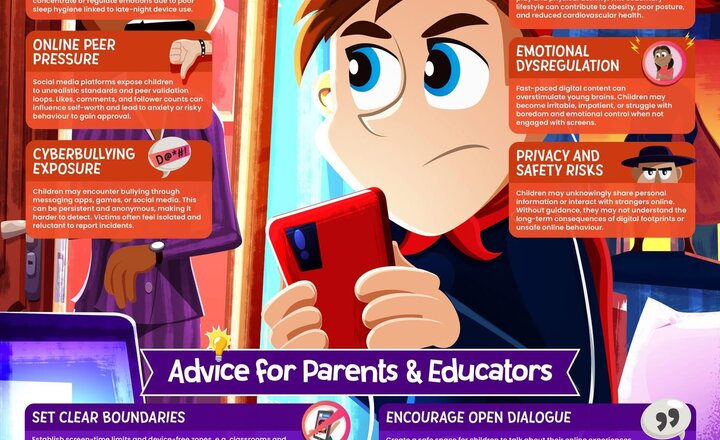
Online Safety-Digital Devices and Well-being
Digital devices are part of everyday life for young people but how do they really impact wellbeing? This week’s #WakeUpWednesday guide explores how screen use can affect sleep, emotional regulation, physical health, and online experiences, and why concerns about wellbeing are growing. Download your FREE copy here >> https://vist.ly/4mqjx
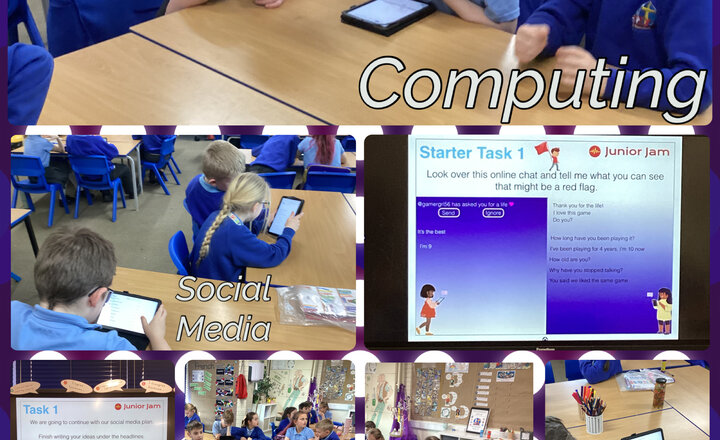
Year 4 - Computing: Social Media
This half term in Computing, the Year 4 class have been presented with a hypothetical scenario in which all social media has been removed from the Internet. Their task is to design their own social media platform, and in this week’s lesson the children were creating a web of ideas under different headings. They were also practising using the functions they have learned so far in the iSecure app. Each session also presents an online safety task so that the children are constantly being made aware of potential cyber dangers and how to avoid them.
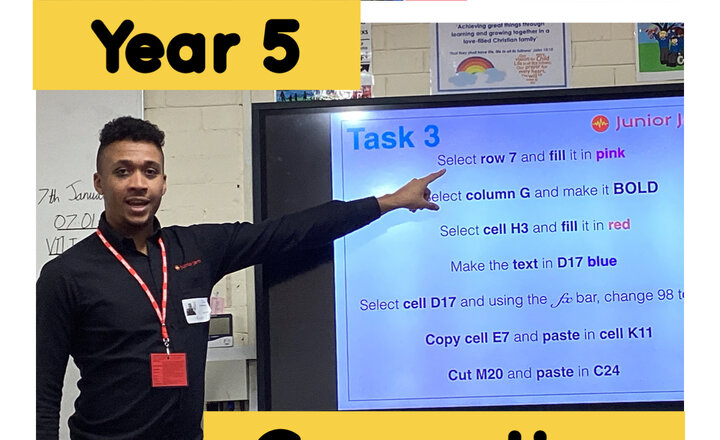
Year 5 - Computing
Our new computing unit covers how to use spreadsheets such as Microsoft Excel and Google Sheets. In this first lesson, the children learned what spreadsheets are before learning how to input data and format cells. Then the children experimented with changing the text and adding colour to the spreadsheet.
.jpeg)
Year 6 - Coastlines and Islands
Today, the children used DigiMaps to locate, explore and compare a range of coastlines across the United Kingdom. The children investigated how the shapes of different coastlines vary and identified key geographical features such as bays, headlands, cliffs and beaches. The children also examined the UK’s surrounding islands, using the zoom tools to study their position, size and distance from the mainland. They showed great curiosity as they navigated the digital maps, asked thoughtful questions and discussed why these coastal landscapes might look the way they do.
.png)